



tamplink

Webmail on your Mac.
From every app.

  • Gmail
  • Gmail Work
  • Outlook
  • Yahoo
  • Proton
  • Fastmail
  • Mail
  • More

$2.99 · once, no subscription

29 kr · €2.99 · macOS 14 or later

Try it here

Click an address.

This is the picker you get on your Mac. Pick an account and a new message opens there. Check Remember first, and the next address at Northwind goes straight through.

northwind.com/team

NORTHWIND BAKERY

Say hello to the team

Jonas LieHead bakerjonas@northwind.com
Kari NordmannOrders and eventskari@northwind.com
Ola BergDeliveriesola@northwind.com
Tip: number keys pick, H checks Remember, Esc closes.

Works with

Every webmail, its own app.

Webmail, but on your desktop. Gmail on two accounts, Outlook for work, Yahoo and Proton at home. Each one gets its own app in the Dock and a stamp in the menu bar, and every link lands in the right one.

GmailEvery account
Gmail WorkWorkspace too
Outlook.comHotmail and Live
Microsoft 365Work or school
Yahoo MailAnd AOL
Proton MailMail and Calendar
FastmailOn the web
TTutaOn the web
ZZoho MailOn the web
MailOn your Mac
@Any email appOutlook, Spark, Airmail
{ }Your own linkAny web address
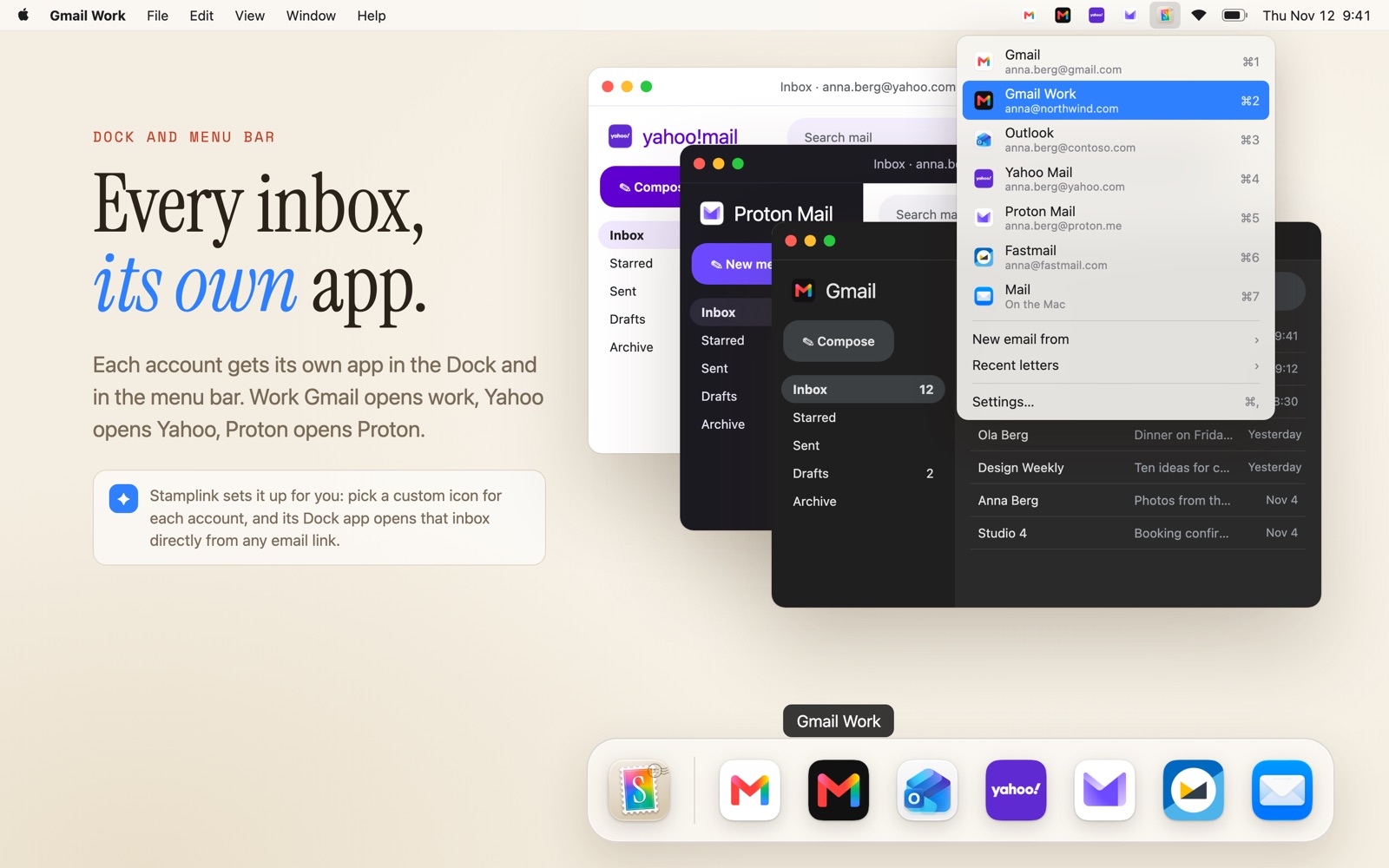
A Mac with Yahoo, Proton and Gmail Work as their own apps, the Stamplink menu and the Dock.

How it works

Pick, or go straight through.

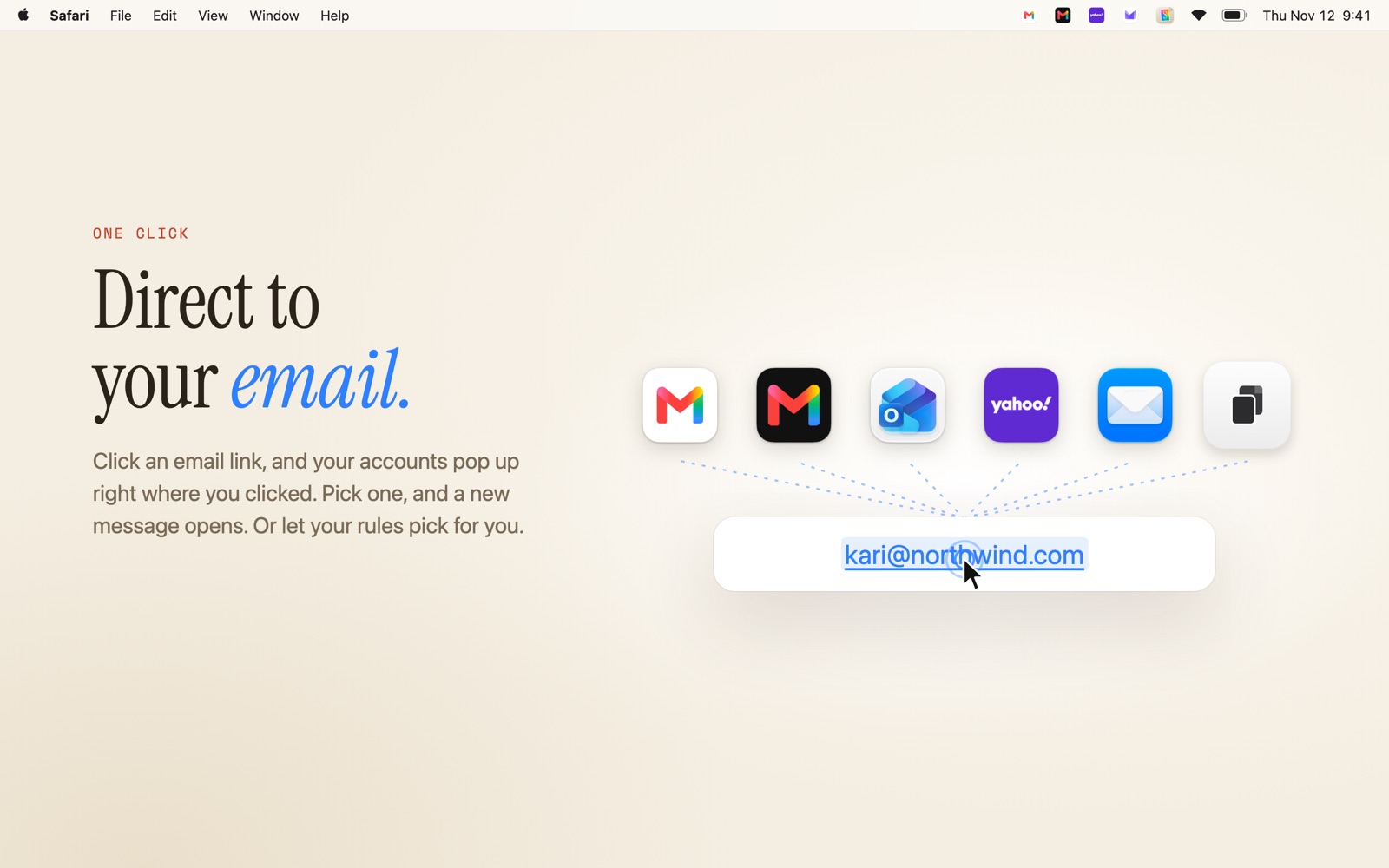
Open your favourite account right away, or get a small picker right where you clicked, with your accounts lined up as stamps.

  • Mouse, number keys or arrows
  • Hold a key to get the picker any time
  • Every Google account, by address
The Stamplink picker above an email link, with Gmail, Gmail Work, Outlook, Yahoo and Mail.

Rules that remember.

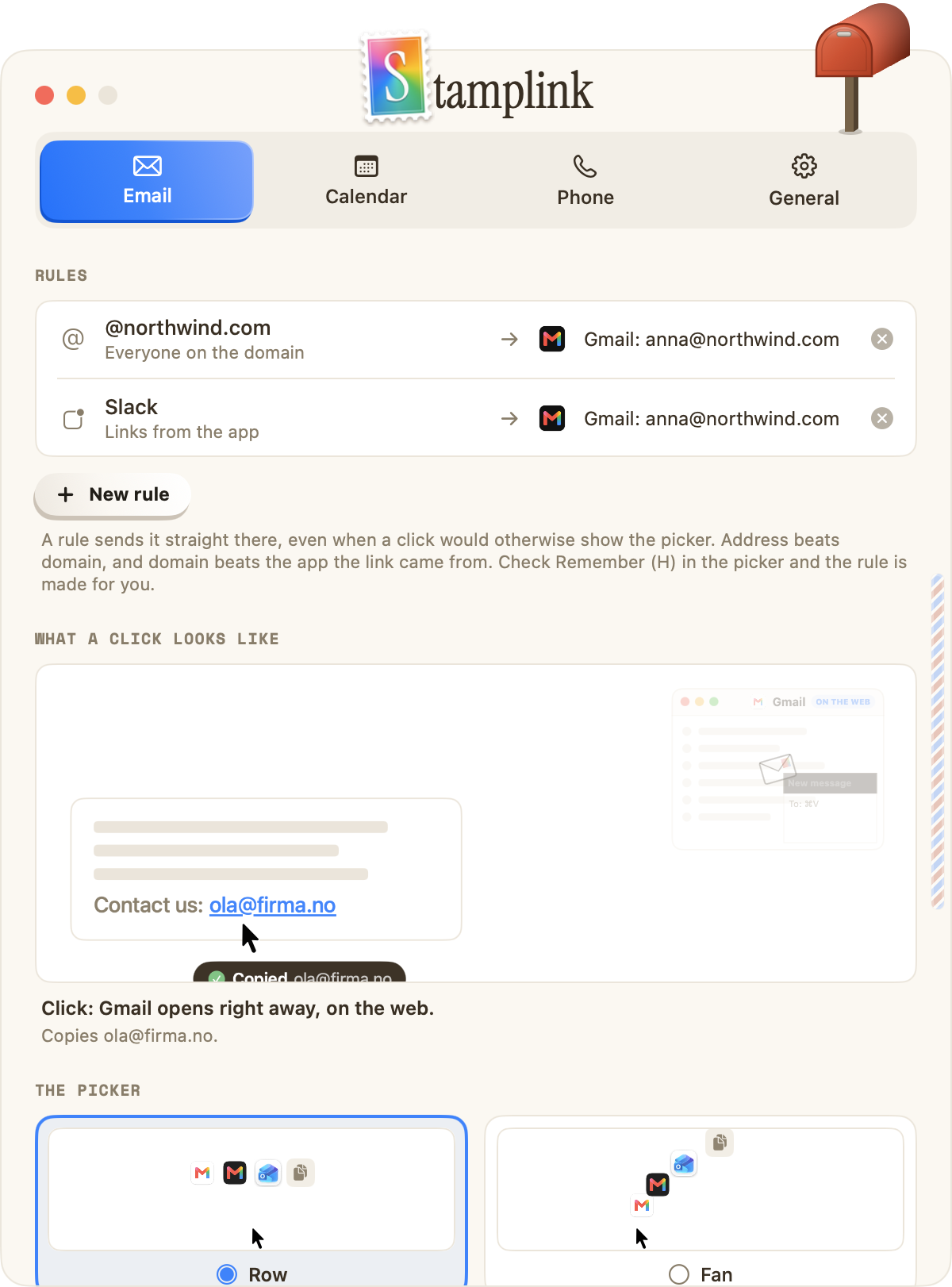
Tell Stamplink once and it takes it from there. Check Remember in the picker, and it makes the rule for you.

  • Everything to @yourcompany.com from work
  • Links from Slack or Teams to work
  • One address always to one account
The Rules settings in Stamplink.

Invitations, right calendar.

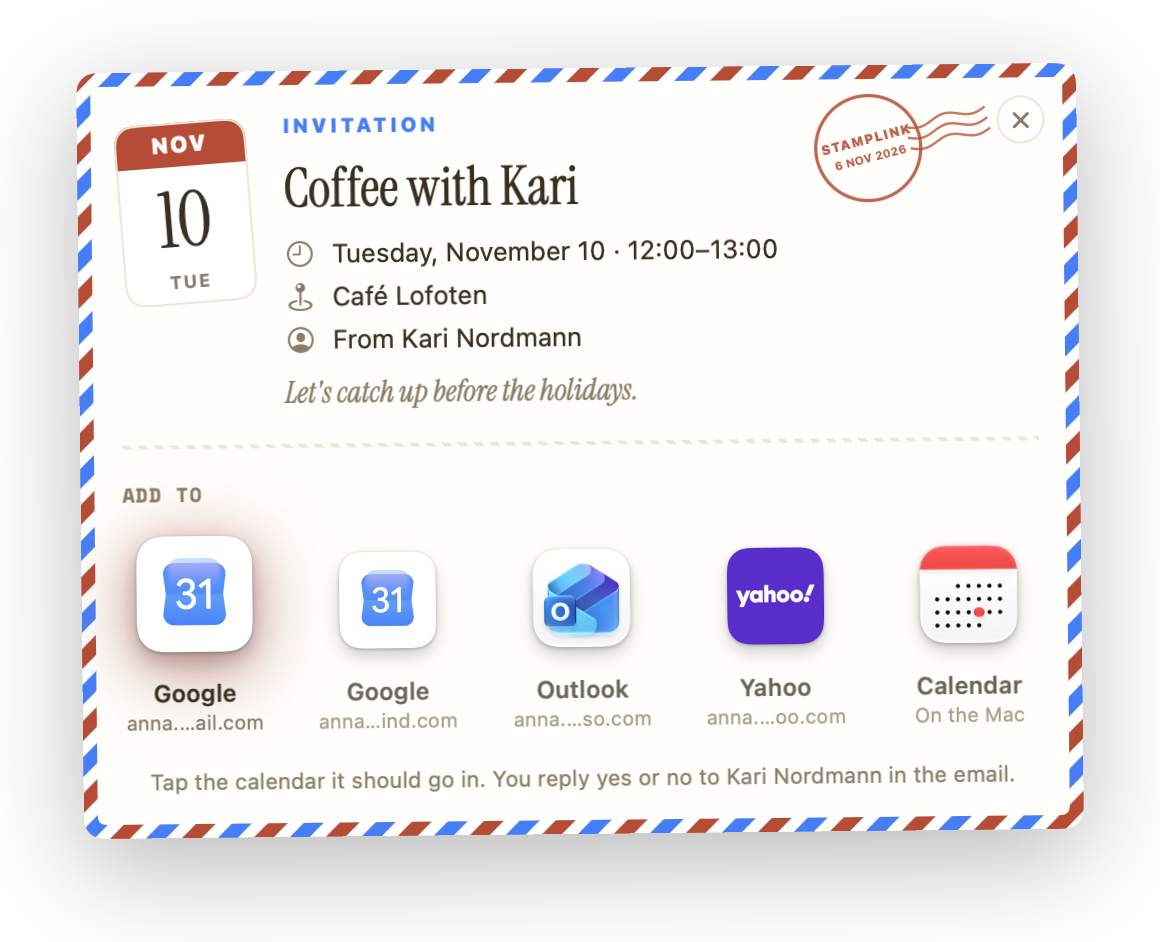
Invitation files and calendar links open in Google Calendar, Outlook, Proton Calendar or Calendar on your Mac, on the right account.

  • See the event before you add it
  • Add it to several calendars at once
  • Works with .ics files and webcal links
Stamplink's invitation card for Coffee with Kari, with Google, Outlook and Yahoo calendars.

Numbers, to your iPhone.

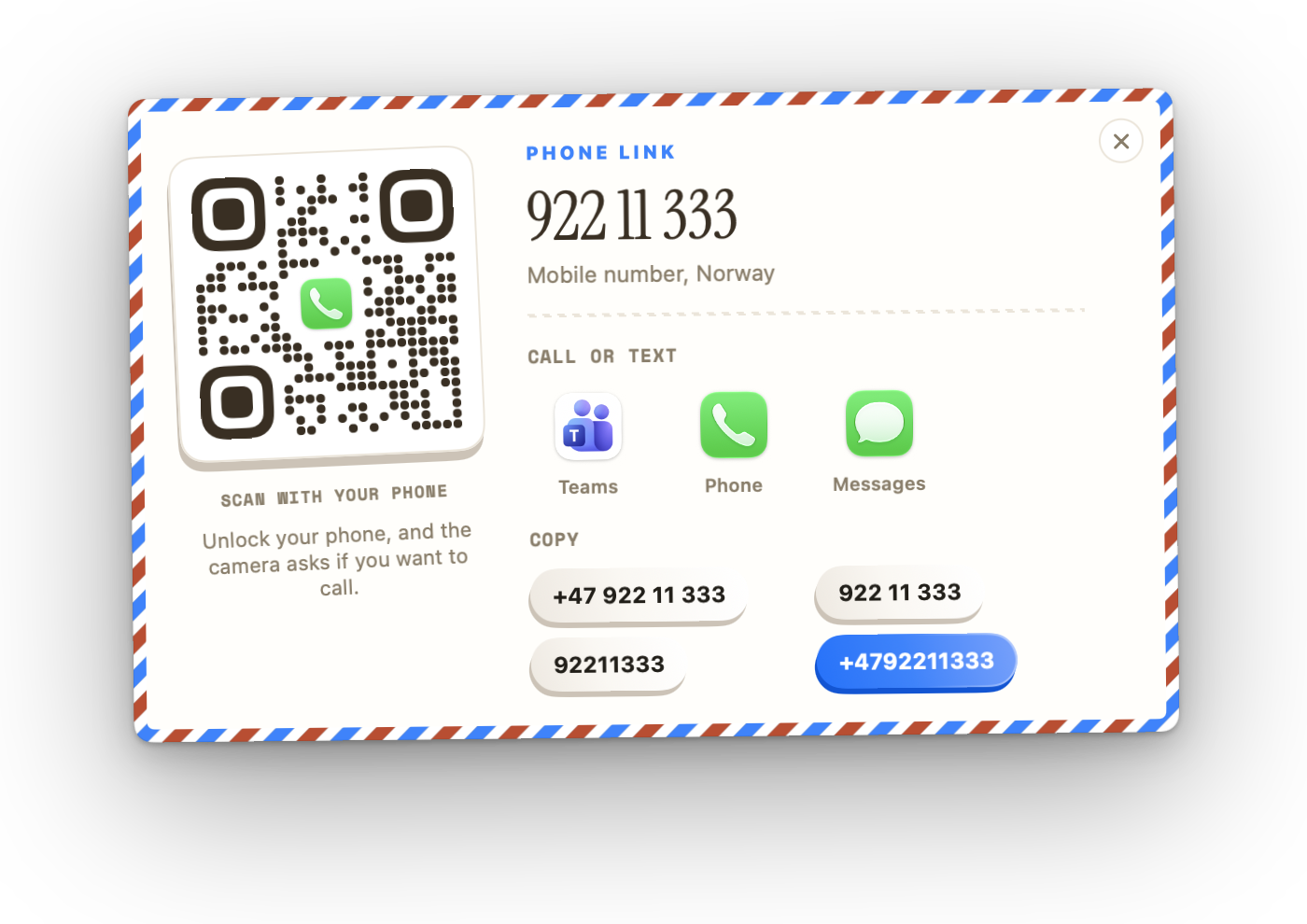
Click a phone number on a web page and Stamplink shows a card with a QR code. Scan it with your iPhone to call or text.

  • Call or send a message from your iPhone
  • Copy the number in the format you need
  • Works with tel, sms and callto links
Stamplink's phone card with a QR code, call and message buttons.

Up in the menu bar.

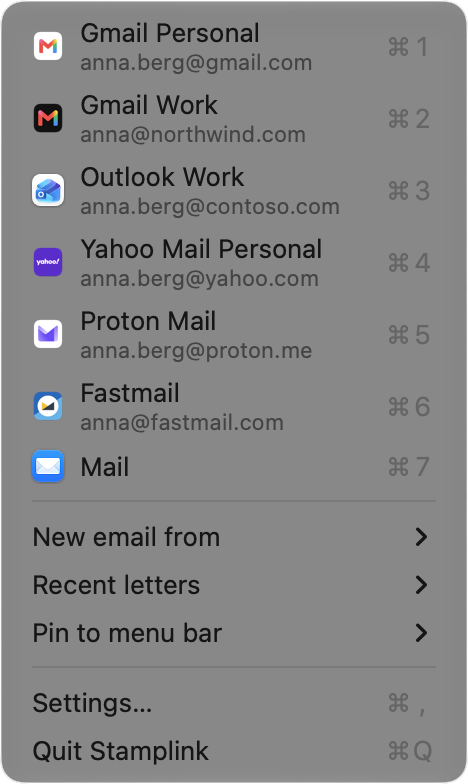
Pin your accounts next to the stamp. Start a new email from any of them, or send a recent link again to another account.

  • New email from any account
  • Recent letters, one click to resend
  • Keyboard shortcuts for each account
The Stamplink menu with Gmail, Gmail Work, Outlook, Yahoo, Proton, Fastmail and Mail.

A Dock app for every account.

Stamplink helps you make a web app for each inbox, with its own icon, that always opens the right account. And email links go straight to it.

  • Custom icon per account
  • Opens the right Google account
  • Links open in the app, not a new tab

And more

Small things that help.

Browser and profile

Each account can open in its own browser and Chrome profile.

Recent letters

Clicked the wrong one? Send the last link again to another account.

Shortcuts and Focus

Switch your default account with Shortcuts or a Focus filter.

Fast with keys

Number keys pick, arrows move, H remembers, Esc closes.

Copy instead

Copy the address, or a phone number in the format you need.

Gmail in the Dock

Make a Gmail app that always opens on the right account.

English and Norwegian

Stamplink follows the language of your Mac.

Quiet by default

Lives in the menu bar. Starts at login only if you want it to.

No account. No tracking. Nothing collected.

Your accounts, rules and recent letters stay on your Mac. Stamplink never signs in to your email and never sends your data anywhere.

Read the privacy policy

Price

$2.99
29 KR · €2.99 · ONE-TIME PURCHASE
  • Every feature, no subscription
  • Family Sharing
  • macOS 14 Sonoma or later
Download on the Mac App Store

Questions

Questions and answers.

Which email services work?

Gmail, Outlook.com, Microsoft 365, Yahoo Mail, AOL, Proton Mail, Fastmail, Tuta and Zoho on the web, and any email app on your Mac, such as Mail, Outlook, Spark or Airmail. Anything else with a web address can be added as your own link.

How does it pick the right Gmail account?

Stamplink opens Gmail with your exact address, so Google uses that account even when another one is active in the browser.

Does Stamplink read my email?

No. It only sees the link you clicked and hands it to the account you chose. It never signs in to your accounts, and nothing leaves your Mac.

Do I have to change my default email app?

Yes, that is how Stamplink gets the links. The welcome window does it in one click, and you can give the links back to Mail at any time in Settings.

Is it a subscription?

No. You pay once in the Mac App Store and get every feature. Family Sharing is on.

More answers on the support page